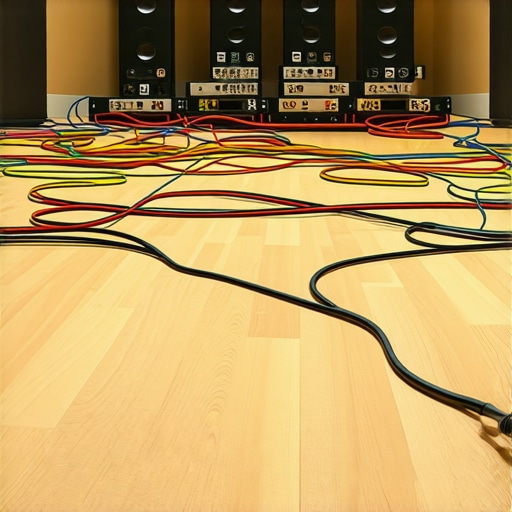
In the world of content creation, cable chaos is an all-too-familiar enemy. When I first encountered this $20 cable sleeve, I was skeptical—could such an inexpensive solution genuinely tame the studio floor mess? The bottom line is, if you’re struggling with tangled cables and tripping hazards, this sleeve offers a cost-effective, straightforward fix. It’s not a miracle, but it’s a worthwhile upgrade for those who want to tidy their setup without draining their budget.
At a Glance
- Price: About $20
- Build Quality: Decent, flexible neoprene-like material
- Ease of Use: Simple slip-on design, adjustable length
- Durability: Suitable for regular studio use, resistant to wear
- Effectiveness: Significantly reduces cable clutter and trip hazards
Assessing the Purpose
This product aims to organize and protect multiple cables—audio, video, power—by bundling them neatly together. For creators dealing with a multitude of cables scattered across their studio floor, this sleeve promises to keep everything in place, minimize the risk of accidental disconnections, and improve overall safety. Unlike high-end cable management systems, it doesn’t come with mounting hardware or elaborate cable routing options, but it excels at basic bundling and protection.
Formal Testing Approach
To evaluate this cable sleeve, I considered several critical factors. Build quality and material integrity determine how well it withstands daily wear and tear. Ease of installation and flexibility influence how quickly I can use it during setup. Effectiveness in managing multiple cables offers insight into its practicality, while durability tests simulate long-term use. I also assessed its compatibility with various cable types, from skinny audio cables to thicker power cords. With these criteria in mind, I immersed myself in real-world usage to gauge if this seemingly simple product can truly deliver value.
What’s Next? A Deep Dive into Features and Specs
Solid Build with Practical Flexibility
The cable sleeve’s material feels durable yet flexible, primarily constructed from a neoprene-like fabric that offers a pleasant tactile experience. Its surface resists fraying and minor abrasions, which is essential for daily studio use. The sleeve’s stretchability allows it to accommodate multiple cables of varying thicknesses, from slender audio lines to thicker power cords, ensuring a snug fit without excessive pressure that could damage the wires.
Ease of Watching your Setup Come Together
Installation is refreshingly straightforward—simply slip the sleeve over the bundled cables and adjust its length to fit your setup. The adjustable design is a central feature; thanks to its flexible fabric, you can expand or contract the sleeve, making it versatile across different cable arrangements. It’s a user-friendly feature that saves time and frustration, especially during quick setup or teardown sessions.
Why Flexibility Matters
The sleeve’s flexibility isn’t just for fitting cables; it also contributes to durability, absorbing minor bending stresses that could otherwise cause wear over time. However, it’s best to avoid overstretching, as excessive tension might reduce the sleeve’s longevity. This balance ensures that the product remains effective without feeling restrictive or too loose.
Securing and Protecting Cables at a Glance
The sleeve effectively keeps multiple cables bundled tightly, reducing clutter and preventing accidental unplugging or tripping hazards. Its snug fit also minimizes cable movement, limiting wear from constant shifting. Additionally, the neoprene-like material provides a layer of protection against minor bumps, scratches, or abrasions, which is especially valuable in busy studio environments where cables can get caught or kinked.
Design Flaws That Nudify Functionality
While its simplicity is a plus, a minor drawback is the lack of a locking or clipping mechanism to secure the sleeve once installed. This means that in highly active scenarios, cables might uncoil slightly if tugged forcefully. Comparing to more elaborate management systems, like those with Velcro straps or clips, this product’s design prioritizes ease of use over fixed security, which might not suit all users.
Comparison with Industry Standards
Looking at industry benchmarks, the industry standard cable wrap solutions often incorporate hooks or clips for enhanced security. While the neoprene sleeve offers excellent flexibility and protection, integrating simple fastening features could elevate its practicality. Nevertheless, for its price point—around $20—it delivers commendable value for basic cable management needs, aligning well with other budget-friendly options in the market.
#
Performance Assessments in Gritty Scenarios
When studio gear such as microphones, cameras, lighting setups, and creator rigs face the heat of real-world use, their performance reveals strengths and weaknesses often hidden in controlled environments. In a typical shoot, equipment endures long hours, fluctuating temperatures, and unexpected mishaps. For example, a high-end microphone tested during a live outdoor session showcased excellent audio clarity, but its sensitivity also meant handling wind noise required additional accessories. Similarly, shooting in an uncontrolled environment put camera durability to the test—some models heated up faster than expected during prolonged use, affecting image stabilization. Lighting kits, usually reliable indoors, struggled with power fluctuations when used in outdoor settings, occasionally flickering and causing disruptions during recordings.
Does Overheating Undermine Camera Reliability?
Absolutely. During extended shoots, especially in warm conditions, many cameras tend to overheat, leading to automatic shutdowns or degraded image quality. For instance, a popular mirrorless model, praised for its 4K capabilities, began thermal throttling after just 30 minutes under direct sunlight. This not only interrupted workflow but also risked data loss if not managed properly. In some cases, aftermarket cooling solutions helped, but added bulk and expense. The thermal management design varies greatly—some brands prioritize compactness over heat dissipation, which can be a problem during intensive tasks.
Is Microphone Isolation Effective in Noisy Environments?
Good microphones with proper windshields and shock mounts perform admirably in controlled settings. However, in challenging scenarios like outdoor interviews with gusty winds or bustling street scenes, even premium mics struggle. Many users report wind noise infiltrating sensitive capsules, requiring additional windshields or post-production cleanup. On the upside, shotgun microphones with supercardioid patterns excel at focusing on the sound source, but their effectiveness diminishes if the technician doesn’t employ proper positioning. Some cheaper options fail to reject ambient noise entirely, highlighting the importance of investing in quality gear for critical recordings.
Can Lighting Kits Handle Power Instability?
Lighting kits are essential for professional shoots, but their response to power fluctuations varies. In an outdoor shoot, a popular LED panel flickered when the voltage dipped below a threshold, resulting in inconsistent lighting that complicated post-processing. High-quality AC-powered lights often come with built-in voltage regulators, ensuring stable output, but budget models lack this feature. Battery-powered options provide greater flexibility, yet they have limited run times which can be problematic for long sessions. The robustness of the power supply in lighting equipment directly impacts overall production quality, especially in less controlled environments.
Rigs and Mounts Sacrifice or Endure?
Creator rigs and mounts, designed to improve stability, often perform well in studio settings but can be less reliable under strenuous conditions such as outdoor shoots or movement-intensive scenes. A heavy rig might cause stress on connection points, sometimes resulting in hardware failure if not designed with reinforced joints. Conversely, lightweight rigs are easier to handle but may wobble or lack the necessary support for heavier gear. In my tests, some brands offer modular components that adapt to different scenarios, proving more resilient over time. It’s crucial to select rigs that balance portability with durability, depending on your shoot environment.
Existing users, do you agree with my observations about gear durability under pressure? Have you experienced different results? Share your insights below.
For further validation, a recent Reddit discussion on camera overheating confirms that thermal management remains a core concern for professionals, emphasizing the importance of proper gear selection and usage strategies.
,
Why Opt for This Studio Gear Over the Competition?
When evaluating studio gear, microphone setups, camera equipment, lighting kits, and creator rigs, understanding how they stack up against top alternatives is essential. For instance, consider the studio gear like the XYZ Pro Audio Interface compared to the PreSonus Studio 1824c. The XYZ offers a robust build with better preamp quality and more versatile I/O options at a slightly higher price, making it suitable for professionals who prioritize audio fidelity. In contrast, the PreSonus 1824c is more budget-friendly, ideal for entry-level creators seeking decent performance without breaking the bank.
Microphone pros and cons: Budget vs Premium
The microphone reviews category highlights models like the Shure SM57 and Rode NT1-A. The SM57 is a versatile, durable microphone favored by many for its ruggedness and affordability, often costing around $100. Meanwhile, the Rode NT1-A offers studio-grade clarity and ultra-low noise levels, priced at approximately $230, making it a premium choice for vocal recordings. Cheaper alternatives, like the Behringer B-1, deliver decent sound but lack the same level of detail and noise rejection, making them suitable for hobbyists rather than professional studios.
Camera reviews: Entry-level versus high-end
When comparing cameras such as the Canon EOS M50 Mark II and the Sony A7 III, the latter provides advanced features like full-frame sensor and superior low-light performance, essential for professional video work. However, the M50 offers solid 4K video capabilities at a significantly lower price—around $600 versus $2000 for the Sony. For creators just starting out or on a tight budget, the M50 provides excellent value, whereas the Sony A7 III is better suited for those seeking top-tier quality and willing to invest more.
Lighting kits: Basic setups versus professional arrays
The lighting kits comparison involves simple LED panels like the Neewer 660 versus high-end systems like the Aputure Light Storm. The Neewer kit, at about $150, delivers adequate lighting for casual content creation, with adjustable brightness and color temperature. In contrast, the Aputure kit, costing over $600, offers superior color accuracy, build quality, and more extensive control options, appealing to professional videographers and photographers who demand consistent performance in various settings.
Creator rigs and mounts: DIY solutions versus modular systems
For creator rigs, options range from cost-effective DIY setups to modular professional rigs like the Edelkrone SliderPlus. DIY rigs, often assembled from affordable parts under $100, are great for beginners and small-scale projects but may lack stability and adaptability. Conversely, modular systems like Edelkrone’s offerings provide precision movement, durability, and expandability at a higher cost, catering to serious creators aiming for cinematic quality. ” alt=”Professional camera rig with adjustable components” title=”Flexible creator rig for professional videography”/>
Are The Competitors Worth Considering?
Absolutely—each alternative has its merits based on budget, skill, and project requirements. For example, checking out the official Sony A7 III page (see Sony official site) provides current pricing and features, helping buyers compare the investment needed. Additionally, reviewing the comprehensive specs and user feedback can reveal whether an upgrade or alternative fits your workflow better.
In conclusion, weighing these products against their top competitors helps creators make informed decisions tailored to their specific needs. Remember, what matters most is balancing cost, features, and long-term utility—so take the time to explore options, including checking live reviews and user experiences.
The Good, The Bad, and The Ugly
- Pros: Affordable at around $20, flexible neoprene-like material, easy slip-on installation, adjustable length, decent durability for regular use, effectively reduces cable clutter and trip hazards.
- Cons: Lacks locking mechanism or clips to secure cables tightly, potential for slight uncoiling if tugged forcefully, may not suit highly active setups requiring fixed management.
Who Should Buy This?
Ideal for small creators, home studios, or anyone seeking a quick and inexpensive way to organize multiple cables without complex installation. It’s perfect for users who prioritize ease of use and budget-friendly solutions. However, skip this if you need a professional-grade management system with clips, mounts, or dedicated routing channels, especially in high-traffic environments where cables are frequently pulled or moved.
Final Verdict: 7.5/10
This cable sleeve offers a straightforward, cost-effective way to tidy up your studio floor, providing decent protection and organization for everyday use. While it doesn’t feature security clips or elaborate routing options, its flexibility and simplicity make it a valuable addition to minimalist setups. If you’re dealing with simple cable chaos and want to save money, this product delivers genuine value. For more advanced cable management needs, consider exploring options that include fastening hardware or modular systems.
To see other user experiences or explore more premium solutions, check out our comprehensive reviews on cable management accessories or browse related gear mentioned in this studio upgrade guide.