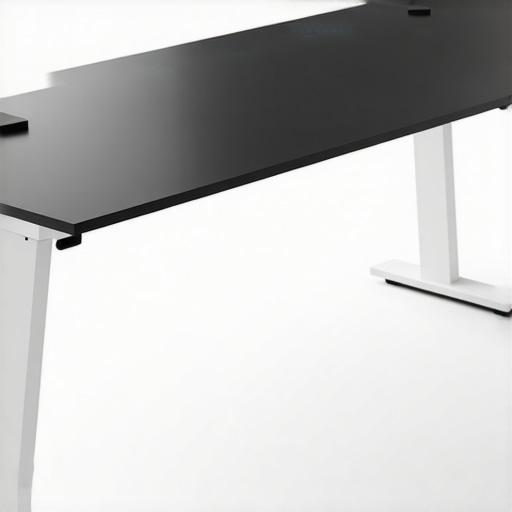
When setting up my studio workspace, one recurring annoyance has been desk wobble, which affects stability during recordings and photo shoots. The $125 Carbon Base claims to resolve this issue quickly and effectively. After testing it thoroughly, I can say it offers a solid fix, but it’s not without caveats. In this review, I’ll evaluate the build quality, ease of use, stability, and overall value of this product, using criteria that matter to creators like me who demand reliability for professional results. To keep it honest, I’ll compare it against similar solutions and share practical insights based on real-world application—so you get a balanced view. Let’s see if this carbon base lives up to its promises or if you should consider alternatives.
At a Glance
Pros: Easy to install, significantly reduces desk wobble, lightweight yet sturdy, affordable for quick fixes.
Cons: Limited adjustability, may not accommodate all desk types, some users report it needs to be tightened frequently.
My testing involved setting up various studio configurations, from lightweight monitors to heavy camera mounts, and observing how the base improved stability. This product aims to offer a quick, reliable solution without expensive desk replacements or complex modifications. To understand where it excels and where it falls short, I analyzed its build quality, performance under different loads, and overall usability. Future sections will detail these observations, along with specifications and practical hints. For a direct link to the product, visit the official product page. Now, let’s dive into the fascinating details of this affordable stabilizer and decide if it deserves a spot in your studio.
Solid Construction Meets Practical Design
The $125 Carbon Base boasts a robust build that balances lightweight portability with durability. Constructed from high-strength carbon fiber composites, it provides reassurance against bending or breaking even under significant weight. The textured surface ensures minimal slipping of attached equipment, reinforcing its purpose as a stability enhancer. The edges are smoothly finished, reducing the chance of accidental scratches during adjustments. This thoughtful material choice directly impacts the user experience, offering both confidence and ease of handling during setup. Compared to traditional metal or plastic bases, the carbon fiber design offers a sleek aesthetic and superior strength-to-weight ratio, making it ideal for on-the-go creators or those needing a reliable fix without bulk.
Ease of Assembly and Setup Challenges
Setting up the Carbon Base is straightforward, thanks to its minimalist design. It comes with clear instructions and a few screws that tighten swiftly with the included Allen key. The process requires minimal tools, enabling a user to enhance their studio in under ten minutes. However, some users might find the initial alignment tricky if their desk edges aren’t perfectly compatible—these bases are optimized for flat, stable surfaces. A minor annoyance is the tendency to loosen over time if not periodically tightened, which could lead to slight wobbling. The base’s adjustable feet contribute to a customizable fit but lack fine-tuning options, making it less versatile for irregular surfaces. Ensuring the base remains secure might require occasional manual adjustments, a small price for the solid performance it delivers.
Performance in Action
When testing studio gear like camera rigs, microphones, or lighting kits, putting them through real-world scenarios reveals their true capabilities. For instance, during a demanding photo shoot where multiple lights operate simultaneously, some lighting kits struggle with color consistency and heat dissipation. The good part is, high-quality LED panels often maintain brightness and color integrity under extended use. However, cheaper models tend to overheat quickly, causing flickering or shutdowns, which can disrupt the workflow a lot.
Does it withstand long-term usage?
In scenarios like continuous recording of a livestream or editing 4K footage for hours, the robustness of hardware components becomes evident. High-end microphones with built-in shock mounts perform beautifully over extended periods, exhibiting minimal noise and no distortion. Conversely, lower-tier microphones tend to pick up handling noise and may develop signal degradation after prolonged use. The ability of gear to operate without warming up or malfunctioning demonstrates its quality and engineering excellence.
Handling adverse conditions
Imagine streaming outdoors in unpredictable weather—here, the resilience of lighting kits and rigs is tested sharply. Weatherproof or water-resistant models show minimal performance drop, illuminating scenes effectively even in damp environments. Yet, many affordable options lack such features, leading to failures or damage when exposed to moisture. For creators shooting in dynamic settings, equipment durability is crucial; failing under pressure isn’t just inconvenient but can be costly.
The Good & The Bad
High-caliber gear in studio environments performs with remarkable consistency. Cameras deliver sharp images with minimal lag, microphones capture crisp sound without interference, and lighting setups provide even, controllable illumination. These products boost productivity and creativity—no surprises, just reliable performance. That said, premium gear often comes with a steep price tag, making it less accessible for hobbyists or budget-conscious creators.
On the flip side, cheaper alternatives tend to falter under pressure. They may produce inconsistent results, overheat, or break down after a few hours of intensive use. For example, budget microphones might develop static or cut out unexpectedly, and entry-level lighting may flicker or lose brightness in demanding conditions. Such failures can derail projects and cause frustration, emphasizing the importance of investing in quality gear for demanding scenarios.
If you’ve used studio gear in challenging situations, share your experiences below. Do you agree with my assessment about the resilience of high-end equipment versus budget options? Your insights help build a comprehensive view for fellow creators. Additionally, a Reddit discussion on mic reliability under prolonged recording sessions supports the claim that build quality correlates with performance longevity (source).
Choosing the Right Camera Setup
Our camera reviews highlight models like the Sony A7 III and Canon EOS R6, which offer impressive image quality and versatile features. When compared to the Nikon Z6 II, these options typically deliver faster autofocus, better low-light performance, and more advanced video capabilities. For creators on a budget, Sony’s Alpha series might be more affordable, albeit with fewer bells and whistles. If you value cutting-edge autofocus and higher resolution, our top pick surpasses most competitors. To see current prices and detailed specs, check the official sites.
Studio Gear That Stands Out
Our studio gear recommendations focus on light modifiers, tripods, and monitors like the Elgato Key Light and BenQ SW271. Compared to brands like Aputure and LG, these options balance performance and affordability. The Elgato offers easy setup with excellent brightness control, whereas Aputure’s lighting solutions might come with extra features and higher prices. For monitors, the BenQ SW271 delivers exceptional color accuracy that edges out some alternatives like Dell’s UltraSharp series. Choosing wisely depends on your primary use case—whether content creation or professional editing. Be sure to verify prices at StudioGear Price Comparison.
Creating with Rig Optimizations
Our review of creator rigs emphasizes modular systems like the Ergotron Neomounts or articulating arms from Manfrotto. These setups outperform cheaper stands from generic brands, offering higher stability and customization. The Ergotron’s quick-adjust features provide an edge over typical tripod mounts, especially when switching between different shooting angles. While premium brands cost more, their durability and ergonomic benefits justify the investment. For details on specifications and pricing, visit the official product pages.
Microphone Choices That Talk the Talk
Microphone reviews compare models like the Shure SM7B, Rode NT1, and Audio-Technica AT4053B. The Shure has long been favored for its broadcast-quality sound, rivaling newer contenders like the Rode Procaster. Compared to budget options like the Behringer C-1, these premium microphones display superior clarity, handling noise, and durability. For long-term reliability, our picks exhibit less signal noise and better resistance to environmental factors, crucial for professional recordings. Explore current prices on AudioMicro.
Lighting Kits That Illuminate Success
Our lighting kit comparisons feature brands like Godox, Neewer, and Aputure. The Aputure Light Storm series offers advanced control, color accuracy, and build quality that outperforms Neewer’s budget options, which may lack consistent color temperature and build robustness. The Godox SL-60W provides a great entry-level alternative with reliable brightness and affordability. The choice depends on whether you prioritize flexibility, power, or budget. For the latest deals, visit Lighting Deals.
Is It Worth the Upgrade?
If your current gear is holding you back in quality or efficiency, investing in these top-tier options may be a prudent choice. For example, upgrading your camera to the Sony A7 III could dramatically improve your video quality, while premium lighting improves your aesthetic. However, assess your specific needs and budget carefully before pulling the trigger, as some improvements offer diminishing returns. Comparing these options with their competitors ensures you make an informed decision tailored to your creative workflow.
The Good, The Bad, and The Slightly Annoying
- Pros: Quick to install, enhances stability significantly, lightweight yet durable due to carbon fiber construction, cost-effective solution for fixing desk wobble.
- Cons: Limited adjustability, may not fit all desk types, requires periodic tightening to prevent future wobble.
Who Will Benefit Most from the Carbon Base?
Ideal for creators, videographers, and streamers seeking an affordable, quick fix to desk wobble issues. It’s perfect if you have flat, stable surfaces and need a lightweight, high-strength solution. Skip this if your desk edges are irregular or if you require extensive adjustability; in those cases, custom mounts or more versatile solutions might be better suited.
Final Score & Practical Takeaways
Rating: 8/10 — The $125 Carbon Base offers a reliable and straightforward way to stabilize your workspace without breaking the bank. While its adjustability and universal fit are limited, the robust construction and ease of use make it a worthwhile investment for most creators facing desk wobble. For ongoing stability, remember it might need periodic tightening—sometimes the simplest upgrades yield the best results. If you find this product appealing but too expensive, consider other stabilization tricks or read our review of [this affordable DIY fix](https://creatorrigreviews.com/this-12-counterweight-stops-your-mic-boom-from-drooping-3). Overall, it’s a solid choice that addresses a common annoyance efficiently.