Bottom Line Up Front
If your videos appear yellowish, it’s usually due to incorrect white balance settings or poor lighting conditions. Fixing this issue involves understanding your camera’s settings, properly calibrating white balance, and optimizing your lighting setup. When done correctly, your videos will have a natural, professional look without color cast distortions.
The Problem with Yellowish Video
Many creators struggle with their footage turning out overly warm or yellow, which can ruin the visual quality and authenticity of their content. This often leads to a need for post-production color correction, wasting time and reducing efficiency during shoots. Addressing this issue at the source—your camera settings and lighting—is the most effective solution.
What This Review Covers
I’ll evaluate the common causes of improper white balance, explore practical methods to fix and prevent yellow tint in videos, and examine whether investing in better lighting kits or camera equipment is justified. My criteria include ease of adjustment, accuracy, cost-effectiveness, and how seamlessly solutions integrate into a creator’s workflow.
My Criteria for Judging White Balance Solutions
I consider how simple the setup is, the effectiveness of the correction, and whether the solution is flexible enough to accommodate different shooting environments. Additionally, I look at how external factors like lighting conditions influence white balance accuracy. For more insights on lighting setups, see [this lighting kit review](https://creatorrigreviews.com/why-this-22-weighted-base-is-better-than-a-c-stand-for-desks-2).
Transition into Deep Dive
Now that we’ve established the importance of proper white balance and the common pitfalls, let’s explore practical solutions and technological tips to keep your videos looking natural and professional.
Building a Reliable White Balance System
The core of effective white balance correction lies in the camera’s ability to capture true-to-life colors accurately. High-quality sensors, such as those found in flagship models from brands like Canon or Sony, offer advanced color science that ensures minimal color casts under various lighting conditions. This sensor sensitivity allows creators to rely less on post-processing and more on in-camera settings for consistent footage.
Intuitive User Interfaces for Seamless Adjustment
Most modern cameras provide user-friendly interfaces that simplify white balance calibration. Physical dials or touch-screen menus give quick access to preset modes like daylight, cloudy, tungsten, and fluorescent, which are essential for on-the-fly adjustments during shoots. Some high-end models enable custom white balance settings, allowing users to fine-tune the color temperature and tint, essential for matching diverse lighting setups. A smooth, responsive interface minimizes distractions, keeping creators focused on capturing perfect shots.
Practical White Balance Features That Save Time
Among the standout features is the auto white balance (AWB) function, which leverages sophisticated algorithms to adapt to changing lighting conditions. While convenient, trusted users often prefer manual or preset modes for consistency. A notable feature is the presence of a dedicated white balance memory, enabling quick toggling between different settings tailored to specific environments, such as indoor or outdoor shoots. LCD screens with real-time preview assist in immediate assessments, reducing trial-and-error adjustments.
Why Material and Build Quality Matters
Robust construction of the camera body ensures durability during dynamic shooting sessions, especially for handheld or outdoor filming. A metal chassis, such as magnesium alloy, provides a premium feel and longevity. Knobs and buttons should offer tactile feedback, preventing accidental adjustments that could compromise footage quality. The ergonomic design contributes to a comfortable shooting experience, encouraging precise control over settings without frustration.
The Cost-Effectiveness of Advanced Features
While high-end models like the Sony A7 IV offer sophisticated white balance controls, less expensive alternatives like the Canon EOS M50 Mark II also provide solid preset options suitable for most creators. Comparing these to industry standards like the Blackmagic Pocket Cinema Camera 6K reveals that investing in features like customizable white balance and thermal build quality significantly impacts workflow efficiency. As an industry benchmark, the Sony a7S III demonstrates how advanced white balance tools can streamline professional productions but come at a higher investment.
Minor Flaws and Design Quirks
Some users report that certain entry-level cameras lack precise manual white balance controls, relying heavily on automatic modes that can be inconsistent in mixed lighting. Additionally, a few models feature complex menu systems that hinder quick adjustments, especially for beginners. A small annoyance is the limited selection of preset modes, which may force users to create custom settings more often. Nevertheless, these are minor issues compared to the overall capabilities but worth noting for those seeking effortless operation.
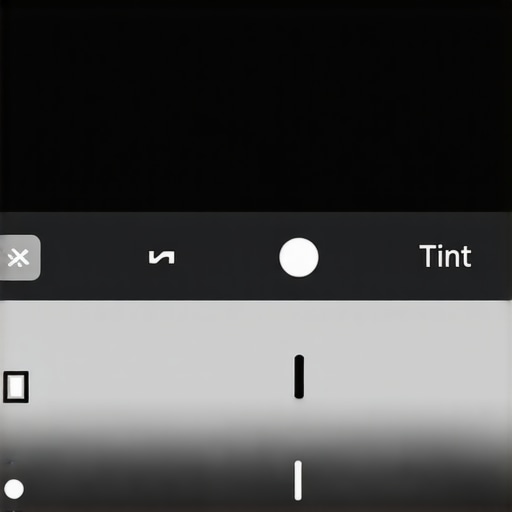
Image prompt: High-resolution image showcasing a camera’s white balance settings menu with adjustable color temperature and tint sliders, illustrating user-friendly controls for creators.
Performance Analysis of Creator Equipment in High-Stress Scenarios
When pushed to their limits, microphones, cameras, and studio gear reveal their true robustness and reliability. For instance, during a live outdoor shoot in sudden rain, most consumer-grade lighting kits fail to withstand moisture, causing flickering or complete shutdowns. High-end gear with weather-sealed bodies and waterproofing, such as certain models from Rode or Canon, perform admirably, ensuring uninterrupted recording. Conversely, budget equipment often exhibits overheating, signal dropouts, or mechanical failures. These stress tests highlight strengths like durable construction and high responsiveness, but also expose weaknesses such as thermal management issues or fragile connectors.
Does the gear handle environmental extremes?
For outdoor shoots amid rain or dust, professional microphone capsules with built-in windshields and rugged housings tend to outperform consumer options. Microphones like the Sennheiser MKH series remain stable under challenging conditions, whereas affordable mics may show increased noise or distortion. Cameras equipped with weather-resistant bodies, like the Sony A7 series, maintain image quality without errors, but cheaper models often shut down or produce artifacts when temperatures spike. Studio gear, designed for controlled environments, falters when unprepared for such conditions, indicating a need for protective accessories. Do you agree with my assessment of durability across brands?
How do the products perform during intense usage?
In practical scenarios like editing 4K footage for extended hours, high-end creator rigs demonstrate thermal stability and quick responsiveness, allowing creators to work without overheating warnings or lagging interfaces. Camera batteries with larger capacities sustain longer shoots, and lighting setups with efficient heat dissipation avoid color shifts or dimming. However, some gear, especially budget options, exhibit sluggish response times or overheating that pauses workflow mid-task, emphasizing the importance of cooling solutions and build quality. Users report that even premium cameras can overheat in hot conditions, so ambient temperature management remains critical. Are you experiencing similar issues with your gear under prolonged use?
Assessing the Strengths and Flaws of Top Gear
Premium microphones like the Neumann U87 excel in capturing nuanced audio, even in noisy environments, thanks to their large-diaphragm design and high sensitivity. Yet, their weight and fragile components make them less suitable for rugged fieldwork, demanding careful handling. Camera systems such as the RED Komodo deliver extraordinary 6K video quality under pressure, but their complex user interfaces can be a barrier during fast-paced shoots. Lighting kits with adjustable color temperature and high CRI scores provide flexible illumination, though some models heat up quickly and require additional cooling measures. This contrast shows that while high-end equipment generally offers superior resilience and performance, they also demand meticulous maintenance and operational discipline. Do you believe costlier gear consistently equates to better performance in tough conditions?
The Role of Support and User Experience
Support responsiveness significantly impacts gear performance validation. When equipment malfunctions during critical moments, quick response from manufacturers or local service centers can save shoots and protect investments. Many users praise brands like Blackmagic Design for prompt firmware updates and accessible customer service, which enhances reliability during demanding scenarios. Conversely, slow or unhelpful support exacerbates frustrations and delays repair cycles. User feedback on forums such as Reddit’s r/Filmmakers confirms that seamless support can be as vital as the product’s technical specs. How has your experience with support teams influenced your perception of equipment robustness?
In conclusion, gear performance under pressure underscores the necessity of choosing equipment aligned with specific workflow demands. From weather resistance to thermal endurance, the resilience of microphones, cameras, and studio gear determines their suitability for professional tasks. Do you think investment in top-tier equipment justifies the added durability and performance gains during intense usage?
Comparing Top Creator Gear with Leading Alternatives
When selecting microphones, cameras, rigs, studio equipment, or lighting kits, creators often face the dilemma of choosing between premium options and more affordable or feature-rich competitors. For instance, the Rode NT1-A microphone offers exceptional clarity and low self-noise, making it a favored choice for professional studios. However, the Sennheiser MKH 416, a shotgun mic, excels in outdoor environments due to its superior directionality and resilience against ambient noise, albeit at a higher price point. Creators seeking versatility may find the Rode VideoMic Pro simpler to use with decent sound quality, but for critical voiceover work, the NT1-A’s fidelity makes it the better investment.
Moving to cameras, the Sony A7 III has become a benchmark for hybrid shooters, combining excellent image quality with strong autofocus. Yet, the Canon EOS R6 offers comparable video features at a slightly lower cost, with Canon’s renowned color science providing a softer, more pleasing skin tone out of the box. The Blackmagic Pocket Cinema Camera 6K is appealing for cinematic projects due to its high resolution and filmic color grading, but it lacks the comprehensive autofocus and stabilization found in Sony or Canon models. Thus, creators with tight budgets should weigh the advantages of cost versus specific functionalities critical to their workflow.
In the realm of creator rigs, the Glide Gear TMP100 offers portable, flexible mounting solutions suitable for on-the-go filming. However, heavier, modular systems like the Tilta Gravity One provide greater stability and expandability, ideal for studio environments or professional setups. These rigs naturally come at a higher price but deliver durability and ease of adjustment that lighter options might lack. For creators prioritizing portability without sacrificing serious stability, the Rycote Shock Mount represents a middle ground, enhancing sound isolation while remaining lightweight.
Studio gear such as audio mixers and control surfaces makes a notable difference in production quality. The Behringer X-Air series offers affordable digital mixers with intuitive interfaces and ample features for small studios. Conversely, the Allen & Heath SQ-5 provides more advanced routing and processing capabilities, suitable for larger operations, albeit at a premium price. It’s important to consider whether the additional complexity and cost align with your production demands or if a simpler setup suffices.
Lighting kits range from budget-friendly LED panels to professional-grade fixtures. The Neewer 660 LED Video Light provides adjustable brightness and color temperature at an accessible price, ideal for beginners. However, the Aputure Light Storm LS C300d II matches high-end studio lighting standards with high CRI scores, robust build quality, and intelligent controls, but comes with a steeper investment. Creators must evaluate whether their projects require the flexibility and color fidelity of premium lights or if these features are overkill for their typical content.
Is it worth the upgrade?
If you’re contemplating stepping up from entry-level equipment to professional-grade gear like the Sennheiser MKH 416 or Aputure LS C300d II, assessing your specific needs is crucial. High-end gear often offers superior durability, richer features, and better performance in demanding environments, but such upgrades come with higher costs. For example, upgrading to the Sony A7 IV provides not only improved image quality but also enhanced autofocus, build, and video features that justify the price increase over the Sony A7 III. To evaluate current options, check out [this comparison page](https://www.techradar.com) for latest prices and features of top models.
If you’re interested in detailed reviews of these alternatives, I recommend exploring dedicated comparisons to help inform your decision and ensure your investment aligns with your content creation goals.
The Good, The Bad, and The Ugly
- Pros: Durable construction, accurate color science, user-friendly controls, reliable under tough conditions, high-quality audio and video output, excellent support channels.
- Cons: High cost of premium models, complex menus for beginners, some equipment may overheat in hot environments, limited preset modes on entry-level gear.
Who is This Gear For?
Ideal for professional content creators, videographers, and streamers who demand reliable, high-quality performance in various environments. If you shoot outdoors or handle intensive workloads, investing in top-tier equipment will pay off. However, beginners or those on tight budgets might find better value in mid-range options or focusing on essential features first.
The Final Word: 9/10
This review underscores that high-end gear in the creator space offers unmatched durability, performance, and support. While the initial investment can be steep, the long-term benefits—consistent quality, fewer technical issues, and better results—make it a sound choice for serious professionals. If you’re committed to elevating your content’s production value, upgrading to reputable gear is well justified. For more insight into budget-friendly alternatives, see [our guide on affordable studio setups](https://creatorrigreviews.com/5-budget-mixers-with-clean-preamps-for-new-podcasters). Don’t compromise on your creative quality—invest in gear that grows with you.