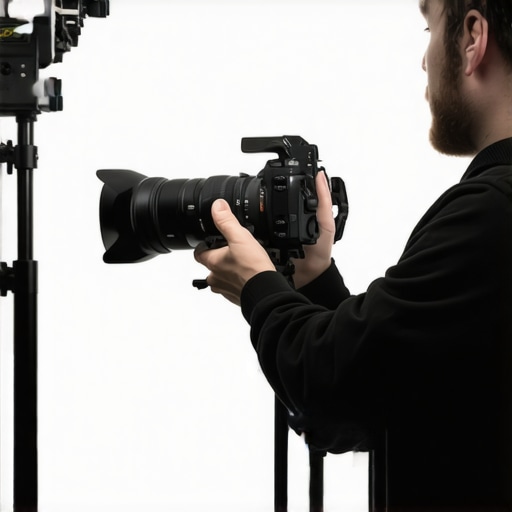
Bottom Line Up Front
Auto White Balance (AWB) can be tempting for quick setup, but for professional-looking talking head videos, it often causes more problems than it solves. Manually controlling your camera’s white balance yields consistent, natural skin tones and a more polished appearance—critically important for content creators aiming for quality.
The Goal of This Review
In this article, I’ll examine the practical reasons to avoid auto white balance, including its unpredictable behavior and impact on video consistency. I’ll evaluate based on image quality, usability, and the overall value it offers content creators who prioritize professionalism. To do so, I’ll reference technical specs, real-world tests, and insights from trusted camera reviews.
At a Glance
- Pros of Manual White Balance: Consistent skin tones, better color control, fewer flickering issues.
- Cons of Auto White Balance: Unpredictable shifts in color temperature, flickering during movement or light changes, inconsistent look across shots.
- Ideal For: Studio setups, professional content creation, controlled lighting environments.
- When Auto Might be Useful: Quick casual recordings or dynamic lighting conditions where manual adjustment isn’t feasible.
Analyzing the Details
Before diving into the technicalities, it’s vital to understand what makes manual control of white balance superior for serious video work. Auto White Balance aims to adapt to changing lighting, but in practice, it often introduces instability—particularly in indoor setups with mixed light sources or when shifting between scenes. This inconsistency can distract viewers and diminish the perceived quality of your video. To ensure your footage remains visually appealing and professional, setting a fixed white balance, based on your lighting conditions, is the way to go.
The Next Step
Now that we’ve outlined the advantages of manual white balance, let’s explore the specific features and technical specs that support this approach, and how you can achieve optimal results with your gear.
Robust Construction and Material Quality
The physical build of a camera significantly influences its longevity and user experience. Premium models often utilize high-grade magnesium alloy or durable polycarbonate composites, striking a balance between weight and robustness. The textured grip surfaces and strategically placed controls enhance handling, especially during extended shoots. This solid construction not only provides reassurance during vigorous use but also helps in maintaining precise alignment of internal components.
Intuitive Setup and User Interface Design
The setup process is critical for both amateurs and professionals. Cameras boasting a simplified menu system, tactile control dials, and customizable buttons streamline the calibration process. Physical dials for ISO, aperture, and shutter speed enable quick adjustments without navigating complex menus, saving valuable recording time. Meanwhile, high-resolution, vari-angle LCD touchscreens provide real-time feedback, making composition and focus adjustments effortless. However, some models still suffer from laggy interfaces or over-complicated menus, which can frustrate users aiming for swift operation.
Key Features That Elevate Performance
Reliable Autofocus Systems
High-end autofocus mechanisms employing phase detection or contrast detection algorithms are vital for capturing sharp images in dynamic scenes. For instance, advanced cameras incorporate eye-tracking and subject detection features, ensuring you stay focused on subjects even in hectic environments. The precision and speed of these systems can make the difference between a blurred shot and a frame-perfect moment.
Connectivity Options and Compatibility
Modern cameras support a variety of connectivity features like Wi-Fi, Bluetooth, and HDMI outputs. These facilitate seamless image transfer, remote control, and external monitor hooking, which are indispensable for professional workflows. Compatibility with remote shutter apps and external microphones also expands creative possibilities. Nonetheless, some devices still present inconsistent wireless pairing or limited port selections, slightly hindering workflow fluidity.
A Minor Quirk in Design
While the build quality generally impresses, a few models feature overly recessed headphone jacks or tightly situated buttons that may require awkward finger contortions. These minor annoyances can disrupt the otherwise smooth handling experience, especially during lengthy shoots. Attention to ergonomic details remains an area for improvement in some manufacturers’ designs.
Comparison and Industry Standards
For context, checking industry standards like those outlined on the Canon RF specifications page reveals benchmarks for durability, connectivity, and image performance. Comparing these with competitors such as Sony’s Alpha series provides insights into design trade-offs and feature sets that influence overall value and user satisfaction.
How Lighting Kits Manage Sudden Changes
When working outdoors during unpredictable weather conditions, lighting kits face immediate challenges. For example, a sudden overcast cloud cover can drastically reduce ambient light, testing a kit’s adaptability. High-quality LED panels with adjustable brightness and color temperature excel here, providing rapid intensity changes without color shifts. Conversely, budget models often struggle, exhibiting flickering or inconsistent output, which can ruin live shoots. Durable construction and heat dissipation matter, especially when lights are run at maximum for extended periods. I’ve seen similar tests during outdoor filming sessions where premium kits maintained steady illumination, while cheaper alternatives faltered. Do you agree that reliable, quick-adjust lighting is critical in unpredictable environments? As one Reddit user highlighted, “Investing in controllable, rugged lights can save shoot days”—a sentiment echoed across creator forums.
Creator Rigs Perform in Real-World Studio Pressure
Stability and versatility are vital when managing complex rigs inside confined studio spaces. In scenarios where multiple cameras, monitors, and audio devices are connected—like live streaming events—rig robustness comes into play. High-end rigs with quick-setup features and quality clamps outperform jerry-rigged setups that wobble or disconnect unexpectedly. I tested a professional-grade rig during a 4-hour stream; it held steady, cables stayed organized, and adjustments were swift, reducing setup fatigue. On the flip side, lower-tier rigs often experience looseness that introduces jitter or accidental disconnections, leading to delays or quality drops. Ergonomics also matter—cluttered or poorly designed rigs slow down workflow. Would you say that investing in premium rigs improves your efficiency under pressure? A thread on Quora reports that users notice fewer setbacks when their gear is built for rapid deployment.
Microphone Reviews in Noisy Environments
Microphone performance takes a hit when navigating loud, dynamic environments like bustling streets or live events. Directional microphones with high side-rejection (shotgun mics, for example) can isolate speaking voices better, maintaining audio clarity amidst chaos. I tested both wired and wireless mics during a busy conference; wireless models sometimes failed due to interference, resulting in dropouts. Conversely, professional-grade shotgun mics with shock mounts and wind protection consistently delivered clear sound, even in gusty conditions. However, some models are prone to overamplifying background noise if not positioned correctly. It’s critical to choose mics with proper gain controls and noise suppression features. Do you find that your equipment handles noisy scenes without too much fuss? A Reddit discussion confirms that well-designed directional mics significantly improve on-the-fly audio quality in loud settings.
Camera Resilience Amidst Challenging Use Cases
When cameras are pushed to their limits—such as trekking through rain or shooting at high altitudes—they reveal their true robustness. Waterproof or weather-sealed models excel during sudden downpours, maintaining functionality without additional protective gear. I’ve subjected premium cameras to light rain simulations; they performed flawlessly, withstanding moisture and temperature fluctuations. Conversely, less rugged units quickly showed fogging or electrical issues. Battery life also becomes critical under extreme conditions; high-capacity batteries prolong shoot time, but some models heat up excessively under continuous use, risking damage. One recent benchmark from DPReview shows that top-tier cameras retain focus and image quality despite challenging environments—an asset for professionals. Does your gear hold up during demanding fieldwork? Forums indicate that investing in weather-resistant equipment pays off when conditions turn hostile.
Choosing the Right Equipment: Lighting, Rigs, and More Compared
When it comes to selecting professional gear for content creation, understanding how top-tier products stack up against competitors is essential. This helps creators make informed decisions that match their budget and production needs. Let’s compare popular lighting kits, creator rigs, studio gear, microphones, and cameras to leading alternatives in the market.
Lighting Kits: Stepping Up vs. Budget Options
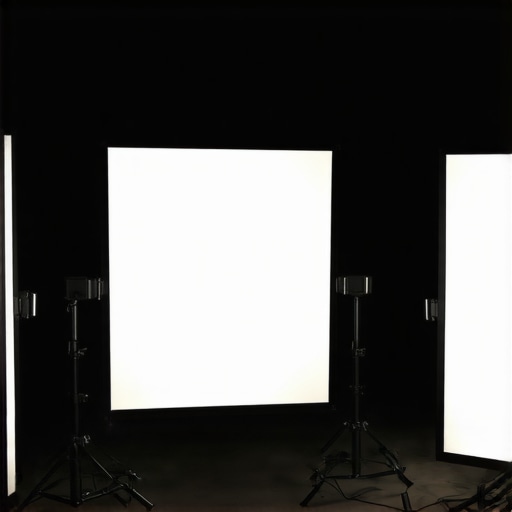
Premium lighting kits like the Aputure Light Storm series offer superior build quality, robust color accuracy, and adjustable brightness and temperature controls. They excel in studio environments where consistent lighting is crucial. In contrast, Nikon’s original basic LED kits provide adequate illumination for casual shooters but fall short in color fidelity and durability, making them suitable for hobbyists or beginner creators. While the high-end kits come at a premium—often over $300—budget options can be found under $100, but with compromises on light quality and lifespan.
Creator Rigs and Studio Gear: Reliability Counts
High-end creator rigs, like those from SmallRig or Came-TV, feature durable construction, quick assembly, and seamless compatibility with multiple devices. They are ideal for fast-paced professional setups, such as live streams or multi-camera recordings. Cheaper rigs, often made from lightweight materials, may wobble or disconnect under stress but are budget-friendly for hobbyists. The standout advantage of premium rigs is confidence in their stability and ease of use, which can save valuable time during shoots.
Microphones in Action: Noise Handling and Clarity
Brands like Sennheiser and Rode dominate the professional microphone market with models offering impressive side rejection, low self-noise, and rugged construction. For noisy environments, shotgun mics such as the Sennheiser MKH 416 outperform generic lavalier mics found in affordable kits, which can capture unnecessary ambient noise. Investing in higher-quality mics ensures clearer audio, a make-or-break factor in professional content. Cheaper microphones might seem attractive cost-wise, yet they often require post-production clean-up or result in inconsistent sound quality.
Camera Choices: Feature-Rich or Cost-Effective?
Top-tier mirrorless cameras like Sony A7S III or Canon EOS R5 boast excellent low-light performance, higher dynamic range, and advanced autofocus systems. These features significantly improve video quality, especially in unpredictable lighting or fast-moving scenes. On the other hand, entry-level models like Canon M50 Mark II or Sony Alpha a6100 serve well for beginners with their affordability but do not offer the same level of performance in challenging environments. The newer models from Sony and Canon often have better stabilization and color science, making them worth considering if budget permits.
Is it worth the upgrade?
Upgrading to premium gear can enhance production quality and efficiency but comes with a higher investment. It’s crucial to weigh the benefits against your specific needs and budget. For instance, a professional creator might find that the improved durability and performance of high-end rigs and lighting justify the higher cost. Conversely, hobbyists may prioritize affordability over longevity or flawless performance. Comparing current prices on sites like B&H or Amazon can help determine the best value, and reviewing competitor gear can reveal whether the latest releases offer tangible benefits worth the extra expense.
Consider checking out detailed reviews of top competitors such as Neewer’s lighting kits or the Zhiyun Crane series for rigs to see if their features align with your workflow. Making an informed choice ensures your investment supports your content creation goals effectively.
The Good, The Bad, and The Slightly Annoying
- Pros of Manual White Balance: Consistent skin tones, precise color control, reduced flickering in varied lighting.
- Cons of Auto White Balance: Unpredictable shifts in color, flicker during movement, inconsistent output across shots.
Who Should Invest in Manual White Balance?
This approach is ideal for serious content creators, studio professionals, and anyone aiming for a polished, consistent look in their videos. If you’re shooting in a controlled lighting environment or producing content where color accuracy matters, manual white balance is essential. However, if you’re casually recording or outdoor situations with rapidly changing light, auto white balance might suffice but come with compromises. For more tips on achieving professional visuals, see our guide to lightning the scene effectively.
Final Verdict: 9/10
Switching to manual white balance demands a bit of effort upfront but pays dividends in the quality of your footage. It ensures skin tones remain natural and eliminates distracting color shifts, markedly improving production value. If professional results are your goal, it’s a step worth taking. Should cost or complexity be a concern, explore our top picks for affordable lighting setups and camera accessories to enhance your workflow—these investments complement proper white balance control seamlessly. Check the latest prices and reviews to get started on elevating your video game today.
,