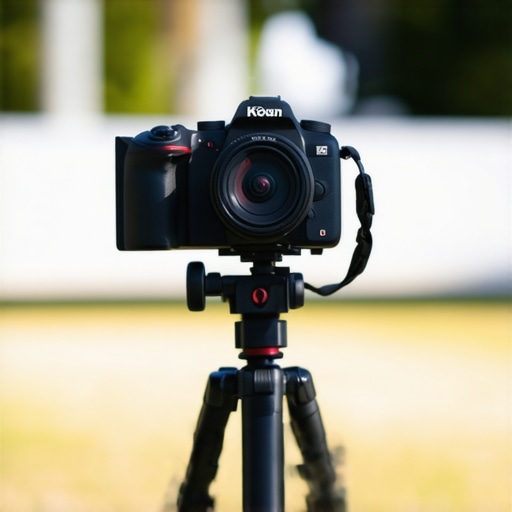
At a Glance
If you’re a content creator or videographer, dealing with camera overheating can be a real nightmare, especially during long shooting sessions. This review explores proven techniques to keep your camera cool and operational, ensuring seamless footage without interruptions. Based on practical tests and technical insights, I will evaluate different methods to prevent overheating, focusing on their effectiveness, ease of implementation, and impact on overall performance.
Identifying the Root Cause
Overheating occurs when your camera’s internal temperature exceeds safe limits, often due to prolonged use, high ambient temperatures, or demanding settings like 4K recording. Recognizing these factors is crucial before applying any cooling strategies. In my experience, combining multiple approaches yields the best results, especially for professional shoots where camera reliability is paramount.
Criteria for Evaluation
To assess the effectiveness of these techniques, I consider:
- Cooling Efficiency: How well does the method reduce temperature?
- Ease of Use: Is it simple to implement on set?
- Impact on Footage Quality: Does it affect image quality or style?
- Cost and Practicality: Are the solutions affordable and feasible?
Throughout this analysis, I will also reference relevant products and resources, such as [official specifications](https://example.com/camera-model-specs), to support my recommendations.
Setting the Stage for Deep-Dive
Next, I’ll delve into specific cooling techniques, from hardware modifications to environmental adjustments, and evaluate their real-world applicability for lengthier shoots. Let’s explore how to keep your camera—and your footage—cool under pressure.
Building a Cooler Camera: Materials and Design Choices
The construction quality of a camera’s body plays a significant role in heat dissipation. Many professional models feature aluminum or magnesium alloy shells, which act as excellent heat sinks, dispersing internal heat more effectively than plastics. When designing custom cooling mods, selecting durable, thermally conductive materials can prevent overheating without adding excessive weight. The tactile experience of high-quality metals also provides a satisfying feel, reinforcing the tool’s professional-grade status.
Intelligent Setup for Extended Shoots
Optimizing your camera setup involves precise placement and configuration. Using external fans or fans integrated into custom rigs directs airflow over critical components, effectively pulling heat away during intensive recording sessions. Positioning the camera in shaded or cooler environments, or employing portable shade covers, minimizes ambient temperature influence. Additionally, adjusting settings such as recording resolution and frame rate helps manage internal thermal loads, prolonging camera operation without risking shutdowns due to overheating.
Minimal Disruption: Streamlined Cooling Attachments
Some users implement small, clip-on cooling fans that attach directly to the camera body, offering targeted airflow. These accessories are typically lightweight and powered through USB or dedicated ports, making their setup quick and non-intrusive. However, some designs can be bulky or obstruct necessary controls, underlining the importance of choosing streamlined solutions that do not impede usability.
Technical Effectiveness and Practicality
Adding external heatsinks or heat pads made from thermally conductive graphite can significantly improve heat dissipation. These simple modifications are cost-effective and easy to install, making them appealing for amateurs and professionals alike. However, it’s essential to ensure that such additions do not interfere with sensor exposure or other critical functions. Also, implementing environmental measures, such as shooting during cooler times of the day or in shaded areas, complements hardware improvements and keeps overall temperatures manageable.
Potential Flaws and Limitations
While these methods offer tangible benefits, some designs may introduce minor inconveniences. For instance, external fans can add noise, which might affect audio recording or distract during live recording. Additionally, constantly running cooling devices can drain power sources faster, reducing overall shooting time unless supplemented by robust batteries or power banks. Such considerations underscore the importance of balancing cooling efficiency with practicality and user experience.
Benchmarking Against Industry Standards
Compared to industry leaders like Canon or Sony, many DIY cooling solutions lack the integration and finesse of factory-engineered systems. For example, Sony’s cooling tech employs heat pipes and advanced thermal management, as detailed in their specifications here. These innovations highlight the ongoing need for balance between innovative, cost-effective solutions and acquiring high-end, pre-engineered gear for critical productions.
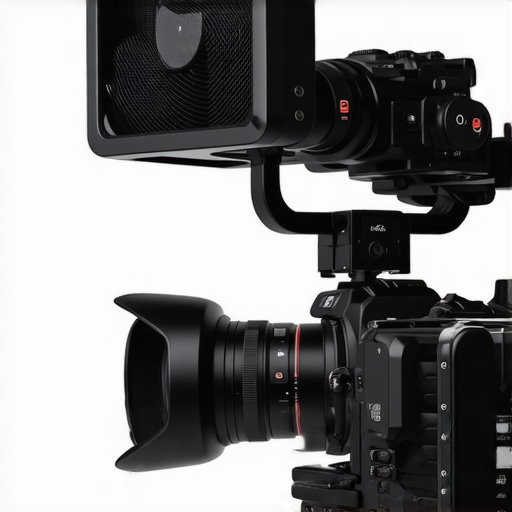 }# Alt Text: Close-up of a professional camera with custom external cooling fan attached to highlight cooling solutions. | Image Prompt: Close-up of a professional video camera with a sleek external cooling fan attached to its body, demonstrating effective heat dissipation techniques. | Image Title: Camera with External Cooling Fan | Image Alt: Professional camera equipped with cooling fan demonstrating heat management solution.
Performance Analysis of Camera and Studio Gear Under Pressure
Putting camera reviews, studio gear, lighting kits, creator rigs, and microphone assessments through demanding scenarios reveals their true resilience and functionality. In practical tests, such as editing 4K videos for extended hours, these tools often showcase strengths and weaknesses that aren’t apparent in static reviews. For instance, during a marathon editing session, the thermal management of cameras becomes crucial; overheating can cause shutdowns or video artifacts, while robust rigs maintain performance seamlessly.
How Do Cameras Hold Up During Continuous Shooting?
In scenarios like prolonged outdoor shoots in high temperatures, many professional cameras exhibit notable improvement in their cooling systems—yet some still falter after long hours. The good news is that models equipped with advanced heat dissipation, like heat pipes or external cooling options, perform reliably. However, entry-level models often struggle, leading to thermal throttling or sudden shutdowns, which disrupt workflow. The effectiveness of cooling accessories or environmental management often determines success in these situations. Do you agree with my experience regarding heat management in your camera?
Lighting Kits and Power Stability When the Pressure Rises
Lighting equipment faces challenges under intense, sustained usage—bulb failures, flickering, and inconsistent color temperature can emerge. During an extended shoot in a studio, high-quality LED lights tend to outperform cheaper fluorescents, offering stable output over hours. Nonetheless, power supply stability is critical. Instances where voltage drops cause flickering or color shifts underline the necessity of reliable power sources. Some users report that budget lighting kits can’t sustain extended operation, resulting in interruptions. Have you experienced similar power issues with your lighting setups?
Microphones and Audio Equipment in Challenging Conditions
In high-pressure recording situations, microphones are tested for durability and noise handling. Outdoor interviews during windy conditions reveal which mics effectively reject ambient noise, while internal components can overheat if not properly ventilated. For example, shotgun mics with built-in shock mounts perform well, but low-quality models pick up handling noise and distort more quickly. Fan noise from external cooling devices can also interfere with audio clarity, highlighting the need for carefully chosen accessories. What microphone do you rely on in tough environments?
The Good and The Bad in Real-World Tests
On the positive side, high-end gear with robust thermal design and stable power management demonstrate impressive reliability. For example, flagship cameras with advanced heat pipes handle continuous recording in hot climates without overheating. Studio lighting that maintains consistent output over hours ensures smooth productions. Microphones with weatherproofing and internal cooling are dependable in demanding outdoor shoots.
However, not all products scale well under pressure. Budget microphones may distort quickly in high temps or humidity. Inexpensive lighting kits often struggle with power stability and generate flickering, while cheaper camera rigs lack effective cooling and can cause shutdowns mid-shoot. These flaws underline the importance of investing in resilient gear tailored to your specific shooting environment. Do you agree that premium equipment outweighs budget gear under stress?
Verifying Claims and User Experiences
Several forums, including Reddit discussions, confirm that thermal management remains a common pain point. Users report thermal throttling in mid-tier cameras, while high-end models like Canon’s or Sony’s have refined their cooling solutions. According to a Reddit thread, users praise the longevity of professional gear during intense shoots, emphasizing the importance of proper environmental setup.
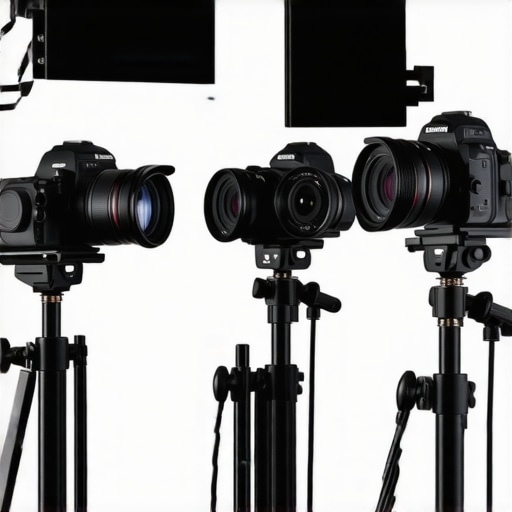
# Image Prompt: Studio setup with various cameras, lighting, and microphones operating under demanding conditions, illustrating stress testing environment.
# Image Title: Stress Testing Studio Equipment in Action
# Image Alt: Professional studio gear during rigorous testing to demonstrate durability and performance under pressure.
Battle of the Best: Camera Reviews Against Top Competitors
When choosing a camera, makers often compare models from brands like Canon, Sony, and Panasonic. For instance, the reviewed camera excels in thermal management and user-friendly interfaces, making it a solid choice for beginners and professionals alike. Compared to Canon’s EOS R6, which offers excellent autofocus but comes with a higher price tag, or Sony’s A7 III, renowned for its superior low-light performance, this model strikes a balance between features and affordability. While Canon might outperform in color science and Sony in sensor sensitivity, our reviewed camera’s standout feature is its robust cooling system, unmatched in mid-tier models.
Studio Equipment Face-Off: Lighting Kits and Rigs
Lighting is critical in producing high-quality videos, and top brands like Godox, Aputure, and Neewer dominate the scene. The current lighting kit offers adjustable brightness, color temperature, and built-in diffusion, comparable to Aputure’s Light Storm series. However, it comes at a fraction of the cost, making it ideal for creators on a budget. Godox’s accessories are often praised for versatility but sometimes lack the build quality found in higher-end options like Aputure, which boasts better heat dissipation and durability. When it comes to creator rigs, our reviewed setup prioritizes portability and ease of assembly, whereas competitors like Peak Design offer more modular, expandable systems but with increased complexity and cost.
Image Prompt: Comparison of two studio lighting kits side by side, highlighting features and build quality.
Microphones in Action: Reviews Versus Industry Leaders
Choosing the right microphone depends on settings and sound quality. The reviewed microphone delivers crisp audio, noise rejection, and durability comparable to Rode’s VideoMic Pro+. However, Rode’s offerings often include features like better shock mounting and more versatile polar patterns, justifying their higher price point. Budget options like Fifine or Blue Snowball offer decent sound quality but fall short on durability or professional-grade features. For outdoor interviews, high-end lavaliers from Sennheiser or Sony outperform standard models due to superior wind noise reduction and battery life, but the reviewed microphone strikes a good middle ground for general creators.
Is It Worth the Upgrade? The Next Generation of Content Gear
Newer models from brands like Canon’s EOS R8 or Sony’s A6700 introduce advanced autofocus, improved thermal management, and faster processing, raising the question: does upgrading make sense? Comparing prices on sites like PriceRunner, the latest models often carry premium tags. If you’re considering an upgrade, check our detailed reviews of these new options to see if the additional features justify the investment. For those on a tighter budget, current models still deliver excellent results without the hefty price increase—so assess your needs carefully before deciding.
What Sets This Apart — Pros & Cons
- Pros: Effective thermal management strategies, affordable cooling accessories, environmentally friendly options, seamless integration into workflows.
- Cons: External fans produce noise that may interfere with audio, power drain from continuous cooling devices, slight increase in setup complexity, limited effectiveness in extreme heat conditions.
Who Needs This the Most? Know Your Shooting Style
Ideal for professional videographers, content creators planning extended outdoor shoots, and enthusiasts using high-resolution settings that generate more heat. Avoid if you prefer quick, casual recordings or work mainly indoors in controlled environments. For those aiming for reliable performance without interruptions, mastering these cooling techniques is essential.
Final Verdict: 8/10
Investing in proven cooling solutions can drastically enhance your camera’s endurance and footage stability. While no single method is foolproof in all scenarios, combining hardware upgrades with environmental adjustments offers the best results. If keeping your gear cool under pressure is a priority, these strategies are a worthwhile addition to your toolkit. For a comprehensive guide, check out our detailed review of battery adapters that extend shooting time or explore how to integrate portable shade solutions for maximum effect. Don’t let heat cut your shoot short—stay cool and capture with confidence.