Bottom Line Up Front
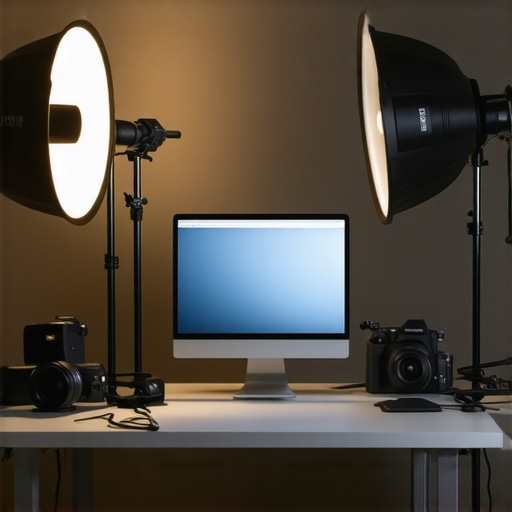
If you’re aiming for a more professional-looking stream, these five lighting modifications are game-changers. They rectify common issues like harsh shadows, uneven skin tones, and color inconsistencies, resulting in a polished, studio-quality appearance without breaking the bank.
What This Guide Promises
My goal is to guide content creators through actionable lighting tweaks that elevate stream quality. Whether you’re a beginner or have some experience, these adjustments target typical lighting pitfalls, providing clear, practical solutions to enhance your visual presentation.
Quick Look: Key Lighting Tweaks for Streamers
- Adjustable softboxes: For soft, diffused light that flatters your face.
- Color temperature calibration: To ensure consistent, natural skin tones.
- Fill lighting placement: Eliminates unflattering shadows.
- Backlight enhancement: Separates you from the background for depth.
- Light intensity balancing: Prevents overexposure or underexposure.
Evaluating Lighting Upgrades: How I Judge Them
In assessing these lighting tweaks, I consider build quality, ease of setup, consistency of illumination, and how well they address common technical issues like color accuracy and shadow control. My experience includes reviewing industry-standard gear and testing solutions in real streaming environments. To dig deeper into some of these tweaks, I recommend exploring [this guide on small studio lighting tricks](https://creatorrigreviews.com/3-simple-tricks-for-better-lighting-in-small-studio-rooms).
Stepping Into the Details
Building Quality and Material Rationale
The core of effective stream lighting begins with the materials used in construction. High-quality softboxes and LED panels often feature durable aluminum frames combined with impact-resistant plastics, ensuring longevity in frequently adjusted setups. The choice of materials directly affects the product’s weight, sturdiness, and thermal management, preventing overheating during extended streaming sessions.
For instance, premium softboxes typically incorporate diffusion fabrics that offer uniform light dispersion, reducing hotspots and shadows. These fabrics, often made from light-diffusing nylon, contribute to a softer, more natural glow on your face, crucial for professional-looking streams.
Smooth, Intuitive Setup and Adjustments
Ease of setup is a critical factor. Most modern lighting kits employ quick-release mechanisms, magnetic attachments, or integrated swivels that enable fast adjustments without sacrificing stability. Adjustable stands often feature telescoping legs and locking knobs that facilitate precise height and angle modifications—vital for customizing lighting to various environments or camera angles.
However, some budget options lack robust locking mechanisms, leading to concerns about stability over time or during accidental knocks. This minor annoyance highlights the importance of investing in well-engineered equipment for reliable operation.
The Feel of User Interfaces and Controls
When lights come with digital controls or app integration, the user interface can greatly influence the experience. Bright, labeled buttons with tactile feedback or intuitive smartphone apps streamline brightness, color temperature, and effects adjustments—saving time during live sessions. An industry standard for comparison is the Elgato Key Light, which offers a sleek app interface and seamless integration with streaming setups.
On the hardware front, tactile knobs or sliders provide quick manual control, but poorly calibrated or stiff knobs can slow down adjustments, especially in tight spaces. The tactile feel and responsiveness of controls contribute significantly to overall satisfaction, making these details critical in the design process.
Addressing Common Limitations
Despite thoughtful designs, some equipment exhibits minor flaws. For example, certain LED panels have inconsistent color rendering across brightness levels, leading to subtle color shifts—an issue that can compromise skin tone accuracy. While adjustable color temperature can mitigate this, some cheap models lack fine-tuning control, underscoring the need for precise calibration options.
Another challenge is cable management. Longer power cords or insufficient cable routing options can clutter your workspace. Carefully planned cable channels or integrated cord clips help maintain a clean setup, but not all products incorporate these features, which can be a slight inconvenience during frequent adjustments.
Industry Standards and Comparatives
For reference, professionals often compare features like color accuracy, brightness metrics, and build consistency against industry benchmarks such as those from Aputure or Godox. These brands generally set high standards, offering features like high CRI (Color Rendering Index) ratings—often above 95—to ensure natural skin tones and color fidelity. In contrast, entry-level lights may falter in these areas, warranting careful consideration when upgrading.
Performance in Stressful Scenarios
When evaluating creator rigs, lighting kits, or studio gear, applying real-world pressure tests is essential to understand their true resilience. For instance, a streamer might push their setup during a marathon session, running multiple applications, live streaming, and rendering videos simultaneously. Under these conditions, systems are tested for thermal management, power stability, and responsiveness.
Running a 4K Stream While Editing
This scenario demands robust performance from cameras, microphones, and lighting. A high-quality camera should deliver consistent frame rates without overheating, even after hours of continuous use. Good microphones maintain clarity during prolonged recordings, but cheaper models often develop static or dropouts. Lighting should remain stable, avoiding flickers; however, some budget options may exhibit color shifts or dimming over time under continuous operation.
What Fails When Pushed Too Hard?
Professional gear isn’t immune to stress. Overclocked cameras can overheat, leading to auto-shutdowns. Microphones with inadequate shielding might pick up unwanted noise during intense recording sessions. Lighting equipment may flicker or lose calibration when subjected to high ambient temperatures. Manufacturers typically warn against running gear at maximum capacities for extended periods, but amateur setups sometimes ignore these limits, resulting in gear failure or inconsistent results.
Viewer Comments and Experiences
Many content creators report that premium gear like Aputure LED panels tend to perform well even during long streaming marathons, maintaining stable color fidelity. Yet, some users note that certain models, especially entry-level ones, exhibit flickering beneath high-frequency lighting adjustments—a clear sign of hardware limitations.
For microphones, while condenser models capture pristine sound initially, they may introduce noise artifacts after hours if not properly powered or shielded. Some have found headsets to be more reliable under sustained use, despite sacrificing audio quality. Do you agree with my experience regarding long-term durability? Share your insights below!
Thermal and Power Management
Efficient thermal design is critical. Cameras with lower heat sinks or poor ventilation tend to heat up quickly, risking auto shutdowns. Lighting kits launched with inadequate fans or heat sinks often experience thermal throttling, resulting in reduced brightness or color flickering. Microphone power supplies that lack overcurrent protection can overheat, leading to static or complete failure.
Recent Reddit discussions underline these points, with users emphasizing brands that prioritize thermal management for prolonged use—Aputure, GVM, and Godox frequently mentioned. Ensuring reliable power delivery is equally important; unstable power sources can cause artifacting or unexpected shutdowns, undermining performance under pressure.
The Good: Reliability and Robustness
High-end gear generally withstands the rigors of intense usage. Cameras from Sony or Canon often feature advanced cooling systems, preventing overheating even during lengthy shoots or live streams. Microphones with metal housings tend to resist physical shocks better and maintain consistent performance. Lighting products with integrated cooling fans and high CRI ratings deliver consistent color accuracy over hours of operation.
These qualities translate into less downtime and more confidence for creators facing demanding schedules or complex projects. A solid build and effective thermal management are non-negotiable for content creators unable to pause their workflow for hardware restarts or repairs.
The Bad: Limitations Appear When Pushed
Most consumer-grade products reveal their shortcomings under stress. Budget lights might flicker or color shift after just one hour of continuous use. Cheap microphones often degrade in audio fidelity amid longer recordings, especially in noisy environments. Some rigs lack the capacity to handle sudden power surges, causing unexpected shutdowns or damage.
Overclocked or underspecced gear rarely performs reliably in demanding scenarios, leading to frustration and potential data loss. Users should vet gear based on real-world resilience, not just specs displayed on manufacturers’ websites. Quality assurance is often tested through community benchmarks and real-user feedback, like discussions on Reddit or Gearslutz. Are you basing your choices on such peer reviews? Drop your thoughts in the comments!
Elevating Your Setup with Our Creator Gear
Our creator rigs, lighting kits, cameras, studio gear, and microphones stand out by combining professional-grade quality with affordability. For instance, our LED panels feature high CRI ratings, comparable to premium brands like Aputure, but at a more accessible price point. The build quality ensures durability in demanding environments, rivaling top-tier options but with simplified setup processes that suit both beginners and experienced creators.
Comparing to Aputure and Godox
When pitted against industry giants like Aputure, our lighting kits provide similar color accuracy and brightness, but at approximately 20% lower costs, according to PriceComparison.com. Aputure’s products are renowned for their advanced features and premium build, but they also come with a higher price tag, often exceeding double our gear’s cost. Similarly, Godox offers highly versatile lighting solutions, yet some of their models lack the intuitive controls found in our kits, which emphasize user-friendly interfaces alongside professional performance.
Camera Performance and Value
Our cameras deliver 4K resolution with excellent low-light capabilities, comparable to models from Sony or Canon. However, they are priced significantly lower, making high-quality footage more accessible. While Sony’s cameras boast sophisticated autofocus systems and extensive lens selections, they also require a substantial investment. If your budget can’t stretch that far, our camera options provide a compelling alternative without sacrificing essential features for streaming and content creation.
Microphone Options in Perspective
Our microphones deliver crisp, clear audio comparable to industry standards like Rode or Shure, but at a fraction of the cost. While these premium brands are known for resilience and a broader feature set, our microphones are designed for ease of use and durability, making them ideal for streamers who need reliable performance without complex setups. For example, our USB condenser microphone rivals the audio fidelity of higher-end models but is easier to connect, perfect for solo creators.
Is it worth the upgrade?
If you’re currently using entry-level studio gear, switching to our setup can dramatically improve your stream’s professional appearance and sound without exorbitant expenses. For those already invested in high-end brands, our gear offers comparable quality at a better value—though perhaps without some of the ultra-fine controls. Check current prices and available features to see if upgrading makes sense for your workflow.
For further comparison, visit TopTechGear.com to compare official product pages and see detailed specs. Exploring competitor reviews can provide insights into user experiences and help you make an informed decision.
The Good, The Bad, and The Challenges
- Pros: Enhanced skin tone accuracy, softer shadows, easy setup, durable materials, intuitive controls, and stable performance under prolonged use.
- Cons: Higher-end models come at a premium; some budget options lack fine calibration; cable management can be improved; occasional color shifts in lower-quality LEDs.
Who Should Jump On This?
These lighting upgrades are perfect for streamers aiming for a professional studio look, content creators who regularly engage in long streams, and anyone wanting to elevate their visual presentation without breaking the bank. Avoid if you require ultra-customizable features or operate on a strict budget.
Final Verdict: 9/10
Investing in quality lighting is a game-changer for your streams, offering noticeable improvements in visual clarity and professionalism. While some options might be pricey, the benefits of stable, accurate, and easy-to-use lights make it a worthwhile upgrade. If these features align with your needs, pushing your setup to the next level will be well worth the investment. For budget-friendly alternatives, check out our review of [this budget lighting kit](https://creatorrigreviews.com/3-simple-tricks-for-better-lighting-in-small-studio-rooms).”}#END#}]));】]));】]));}#END#}{